Account settings
Profile, sign-in and emails
Delete account
Permanently removes your account and sign-in methods.
Saved sites
Logins and regions we remember
Billing & invoices
Your plan, payments and receipts
Obfuscation
Obfuscation means disguising a VPN or proxy connection so that network filters cannot recognise what kind of traffic it is and block it.
Explanation
In depth
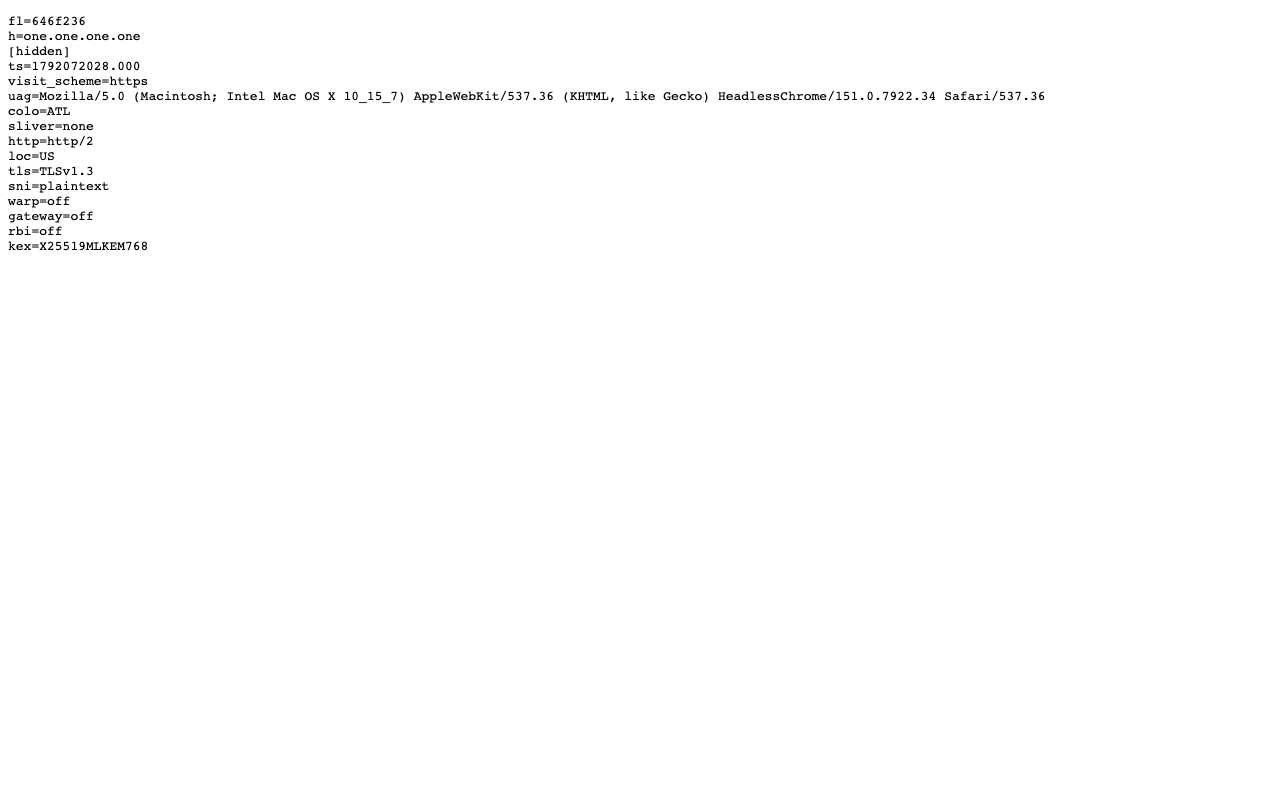
Encryption hides what you send; it does not hide that you are using a VPN. Protocols like WireGuard, OpenVPN and IPsec have recognisable packet sizes, handshakes and ports, and deep packet inspection can spot them without decrypting anything. Obfuscation changes that outer appearance. Some tools make traffic look like random noise (Tor's obfs4), some make it look like ordinary HTTPS to a normal website (Shadowsocks, V2Ray and Trojan setups), and some hide it among other services' traffic (Tor's Snowflake and meek). Domain fronting, which hid a destination behind a large cloud provider's domain, was largely shut down in 2018 when Google and Amazon changed their infrastructure. A web proxy needs no extra disguise on your side, because what your network sees is an HTTPS connection to the proxy's website. That has limits. The proxy's domain name is visible, so a network that puts it on a blocklist stops it. On the other side, the connection from the proxy to the site is ordinary HTTPS too: a Cloudflare trace we took through AnyProxy showed TLS 1.3, HTTP/2 and 'sni=plaintext', meaning the site name was visible on that leg.
In practice
Obfuscation in the real world
Obfuscation disguises tunnel traffic so filters cannot tell what it is. One technique, domain fronting, hid traffic behind a big provider's domain; it ended for most apps in April 2018, when Google and Amazon changed their infrastructure to stop it and Signal had to drop the method it used in Egypt, Oman, Qatar and the UAE. Today's tools mostly make traffic look like random bytes or ordinary HTTPS instead.
Sources: Signal — looking back on the front
We checked
What the proxy-to-site connection looks like
Questions about Obfuscation
Related terms
Put the concept to work
Try AnyProxy free — no install, no signup, three free regions.
Open a blocked page